How to Print on Blank Plastic Cards: Simple Guide
Table of Contents []
- Your Complete Guide to How to Print on Blank Plastic Cards - Plastic Card ID
- Understanding Blank Plastic Cards Before You Print
- Choosing the Right Card Printer for Your Program
- Card Printing Consumables - Ribbons, Overlaminates, and Cleaning Kits
- Designing Cards for In-House Printing - Practical Considerations
- Encoding Plastic Cards - Magnetic Stripe, RFID, and Smart Chips
- Scaling Your Card Program - From 50 Cards to 50,000
- Get Expert Help Printing on Blank Plastic Cards - Plastic Card ID
Your Complete Guide to How to Print on Blank Plastic Cards - Plastic Card ID
Blank plastic cards sitting in a box are potential. What you do with them - how you print, encode, and deploy them - determines whether your card program becomes a genuine asset or just another line item. Whether you are issuing employee ID badges, loyalty cards for your retail customers, event credentials, or membership cards for your organization, understanding the printing process from start to finish will save you money, prevent costly mistakes, and produce cards that actually look professional.
This guide walks you through everything: the hardware, the consumables, the card types, the encoding options, and the real-world decisions that separate mediocre card programs from outstanding ones. CPE has helped over 100,000 businesses across the United States set up and scale card programs - from small nonprofits printing 50 cards a month to national retailers running tens of thousands. The knowledge here reflects that depth of experience.
| Card Type | Typical Use Case | Printable In-House? | Encoding Options |
|---|---|---|---|
| Blank CR80 PVC | ID badges, loyalty, membership | Yes | None standard |
| Magnetic Stripe (HiCo/LoCo) | Gift cards, loyalty, access | Yes, with encoder | Magnetic stripe encoding |
| RFID / Proximity | Access control, time tracking | Yes, with RFID encoder | Contactless chip encoding |
| Smart Chip (Contact) | Secure ID, government, healthcare | Yes, with smart card encoder | Contact chip encoding |
| Clear / Frosted PVC | VIP, membership, specialty | Yes | Optional magnetic stripe |
Understanding Blank Plastic Cards Before You Print
 Before a single ribbon touches a card surface, you need to know what you are working with. Blank CR80 cards are the industry standard - measuring 3.375 x 2.125 inches at 30 mil thickness, conforming to ISO 7810. That is the same form factor as a standard credit card. This matters because every card printer on the market is engineered around that specification, which means compatibility is rarely a guessing game when you source your blanks from a reliable supplier.
The card stock itself is white PVC by default, but CPE stocks colored PVC stock, clear cards, frosted cards, and specialty substrates. The surface of a blank card is what determines print quality - a smooth, clean, dust-free PVC surface accepts dye-sublimation ink at the microscopic level, producing the vivid, photo-quality images that make professional cards look the way they do.
CR80 Standard and Card Thickness
At 30 mil thick, the CR80 is rigid enough to feel substantial in your hand but thin enough to slide into any standard wallet slot. Some applications call for different thicknesses - 10 mil cards are used as adhesive labels, while 20 mil cards work for certain applications requiring slight flexibility. For the vast majority of card programs, 30 mil CR80 is the correct choice and the one that will work with your card printer without any adjustments.
Thickness uniformity across a batch also matters more than most buyers realize. Inconsistent thickness causes feed jams and uneven print pressure. Sourcing from a supplier with strict quality control - one that has moved over 50 million cards in 25 years - means you are not gambling on batch inconsistency every time you reorder.
Surface Types and Print Compatibility
White gloss PVC is the standard surface and accepts both dye-sublimation and direct-to-card printing beautifully. Clear and frosted cards require some design adjustment - backgrounds that print on white stock will look entirely different on a transparent base. Clear cards can produce a stunning visual effect when the design is built to take advantage of the substrate rather than fight it.
Colored PVC stock introduces another layer of consideration. A yellow card stock changes how ink colors render - your card design software should account for the underlying stock color. When in doubt, print a test batch before committing to a full run on specialty stock.
Pre-Encoded Cards Versus Print-Then-Encode
Some buyers receive pre-encoded magnetic stripe or RFID cards from their supplier and print on them afterward. Others prefer to print first, then encode using a printer-integrated encoder. Both workflows work, but print-then-encode is generally preferred because it allows you to visually inspect print quality before the encoding step, reducing waste on already-encoded stock.
High-coercivity (HiCo) magnetic stripe cards are the standard for most applications - they resist accidental erasure from everyday magnets. Low-coercivity (LoCo) cards are used in specific environments like hotel key systems. Knowing which you need before you order prevents the frustration of receiving the wrong stock for your reader infrastructure.
Choosing the Right Card Printer for Your Program
The printer is the single most consequential equipment decision in any in-house card program. The wrong printer leads to poor print quality, excessive ribbon waste, reliability headaches, and ultimately cards that do not represent your organization the way you intended. The right printer makes card production feel effortless. CPE carries a curated lineup from three of the most respected names in the industry: Evolis, Zebra, and Fargo.
Each brand has a character. Evolis printers are known for elegant design, quiet operation, and an intuitive user experience that makes them a favorite in office environments. Zebra is the workhorse brand - built for volume, durability, and integration with enterprise badge management systems. Fargo printers excel at security features and are widely deployed in government, healthcare, and higher education ID programs. Your choice should be driven by volume, application, and the technology features your program requires.
Single-Sided Versus Dual-Sided Printing
Single-sided printers are sufficient for many applications - ID badges, event credentials, simple loyalty cards. But if your card design includes information on both faces (and most professional card programs do), a dual-sided printer saves you from manually flipping and re-feeding cards, which introduces alignment errors and dramatically slows your production pace.
The cost difference between single and dual-sided models is real but often recovers quickly in time savings alone. For any organization issuing more than a few hundred cards per month, dual-sided printing is almost always worth the upfront investment.
Print Volume and Duty Cycle Matching
Every card printer is rated for a monthly duty cycle - the number of cards it is designed to produce per month without undue wear. Matching your actual print volume to the printer's duty cycle is critical for long-term reliability. Running a light-duty desktop printer at 2,000 cards per month when it is rated for 500 will destroy the print head far ahead of schedule.
If your volume is seasonal - holiday gift card rushes, annual membership renewals, conference season credentials - plan for your peak demand, not your average. A printer that struggles in November is a problem, even if it coasts through the rest of the year. Call 800.835.7919 to get a volume recommendation matched to your specific program needs.
Encoding Modules and Print-Encode Combinations
Many modern card printers accept optional encoding modules that snap into the printer's internal architecture. These add magnetic stripe encoding, smart chip contact encoding, or RFID encoding capability to the print cycle - one pass through the printer produces a printed and encoded card simultaneously. This integration is a genuine time saver and reduces the chance of human error in separate encode-after-print workflows.
When building out your printer configuration, think two to three years ahead. Adding a magnetic stripe encoder later is easy with modular printers. Switching to a completely different hardware architecture is expensive. Get the modules your program is likely to need before your volume makes the upgrade feel urgent.
Card Printing Consumables - Ribbons, Overlaminates, and Cleaning Kits
 A card printer without the right consumables is a paperweight. The ribbon is where print quality actually lives - the dye panels in a high-quality ribbon transfer ink to the card surface in a precisely controlled thermal process, and ribbon quality has a direct, measurable impact on color accuracy, durability, and card life. Cheap ribbons cost more in the long run through increased waste, poor color output, and accelerated print head wear.
The standard YMCKO ribbon contains Yellow, Magenta, Cyan, Black, and Overlay panels. The overlay panel applies a clear protective coating over the printed surface that dramatically extends the life of the image. For security-sensitive applications, holographic overlaminates or signature panels can be incorporated into the ribbon configuration.
Matching Ribbons to Your Printer and Card Type
Ribbons are not universal. An Evolis Primacy uses a different ribbon cartridge than a Zebra ZC300, and using the wrong ribbon in any printer risks print head damage and warranty issues. Always source ribbons from your printer's recommended supply chain - or from a supplier, like CPE, that stocks the full range of OEM-compatible ribbons for every printer brand they sell.
For monochrome applications - printing black text only on pre-colored cards, or batch-printing variable data like names and numbers - a black K ribbon is significantly more economical per card than a full YMCKO ribbon. Running full-color ribbons for black-only printing wastes color panel capacity and unnecessarily increases cost per card.
Cleaning Kits and Print Head Longevity
Print head replacement is the most expensive maintenance event in a card printer's life. A quality cleaning regimen prevents the particle buildup and residue that degrade print heads prematurely. Most printers prompt for cleaning cycles at specific card count intervals - following that schedule is not optional if you want your hardware to last.
- Cleaning cards run through the printer's card path to remove dust and debris from rollers and transport components.
- Cleaning swabs or wipes address the print head surface and card entry points where residue tends to accumulate.
- Adhesive cleaning rollers remove particles from incoming blank cards before they enter the print zone, reducing head contamination at the source.
- Cleaning kits are available for every major printer brand and are a nominal cost compared to the print head they protect.
- Establishing a cleaning schedule - and actually following it - is the single highest-return maintenance habit in any card printing operation.
Storage and Handling of Blank Card Stock
Blank cards that are stored improperly arrive at the print head contaminated. Dust, oils from handling, static, and humidity all affect print quality. Store blank cards in their sealed packaging until the moment you are ready to load them into the printer's input hopper. Keep card stock away from direct sunlight and temperature extremes.
When loading cards, handle them by the edges where possible. Palm oils transferred to the card surface create micro-zones where ink adhesion is compromised - often not visible until after lamination, when the affected area appears as a faint smear or uneven sheen. These small habits compound into consistently better print quality over thousands of cards.
Designing Cards for In-House Printing - Practical Considerations
Card design is where the visual and functional elements of your program come together. A card that looks good but has a barcode placed over the magnetic stripe write zone, or a design so dark that the photo personalization area becomes invisible, is a design that failed at its job. Good card design respects both aesthetics and function, and understanding the technical constraints of the printing process helps you get there.
Most card printer manufacturers provide design templates in common formats - often compatible with card design software like CardPresso, ID Works, BadgeMaker, or even Adobe Illustrator. These templates include safe zones, bleed lines, and reserved areas for magnetic stripes, chips, and signature panels. Start with these templates rather than building from scratch.
Resolution, Color Profiles, and Print-Ready Files
Card printers use dye-sublimation technology, which produces continuous-tone color that looks photographic rather than halftone. Design files should be created at a minimum of 300 DPI at actual card size. Low-resolution artwork does not sharpen up in the printer - what goes in is what comes out, scaled for the card surface.
Color profiles matter. Card printers render color through their own ICC profiles, and designs built in RGB that have not been adjusted for the printer's output profile will look different on card than they do on screen. Request the printer's color profile from the manufacturer and work in that profile, or at minimum, run proof prints before committing to a large batch.
Variable Data Printing and Personalization
One of the most powerful capabilities of in-house card printing is variable data - printing unique information on each card from a database or spreadsheet. Names, employee numbers, photos, barcodes, and membership IDs can all be personalized per card in a single automated print run. This is how ID badge programs and loyalty card issuance workflows achieve both professionalism and scalability.
Card design software with database connectivity reads your data source and merges it with your card template, producing a unique card image for every record. The setup investment in time is front-loaded, but once established, issuing a new employee badge or renewing a membership card takes seconds. Variable data printing is where in-house card programs deliver their highest return on investment.
Designing for Specialty Card Substrates
Clear cards, frosted cards, and colored stock all require design reconsideration. Clear card designs should embrace negative space and transparency - a logo that floats on a clear field with no white background looks dramatically more premium than the same logo with a white box behind it. Frosted cards diffuse transmitted light in a way that gives color fields a soft, textured appearance rather than the crisp gloss of standard white PVC.
Colored stock cards work best when the design leverages the base color rather than covering it entirely. A deep blue card stock with white and silver printing reads as a luxury product. A yellow card stock with a full-bleed white background just looks like a white card with inconsistent edges. Design with the substrate, not against it.
Encoding Plastic Cards - Magnetic Stripe, RFID, and Smart Chips
Printing is only half the story for many card programs. Encoding - writing functional data to a magnetic stripe, RFID chip, or contact smart chip - transforms a printed card into an operational tool. The encoded data is what a reader sees; the printed surface is what a human sees. Both must be correct for the card to work.
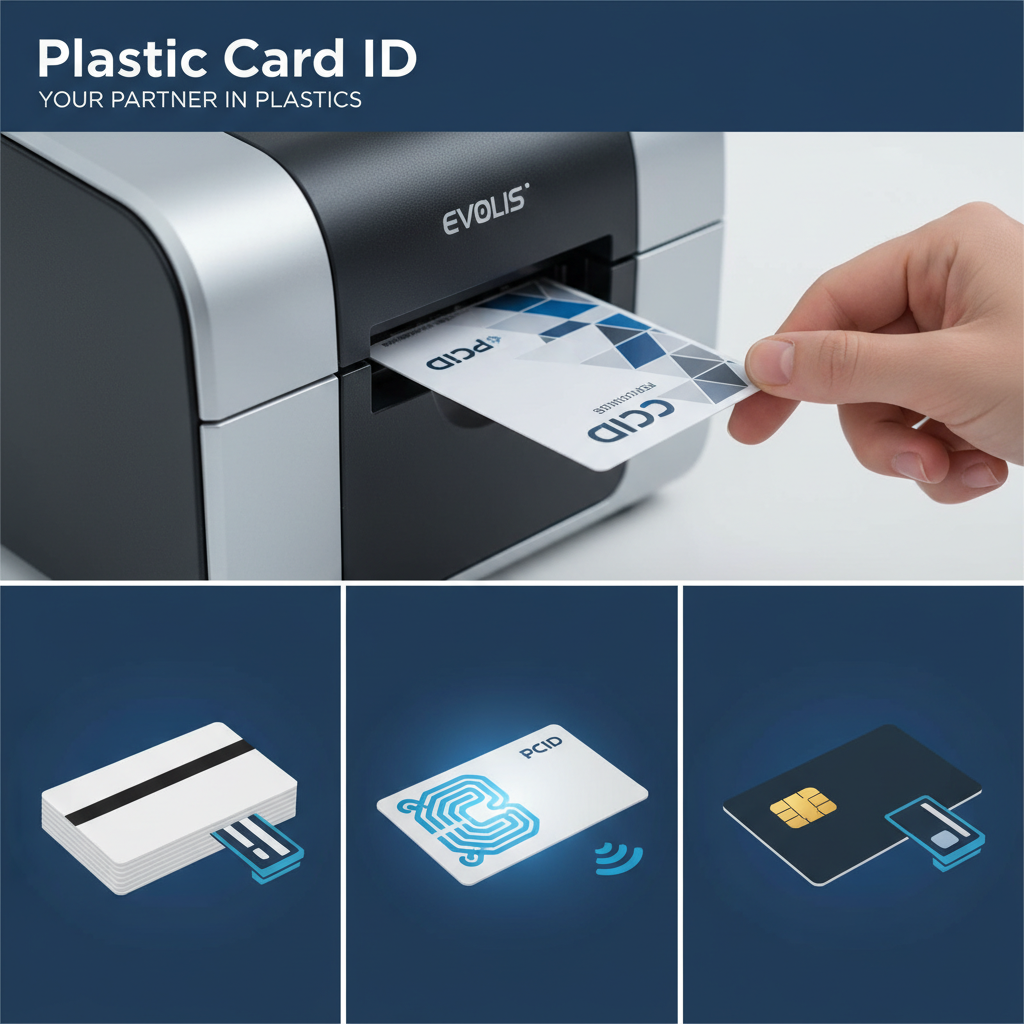
Magnetic stripe encoding writes data across three tracks using the printer's built-in encoder module. Track formats are standardized (ISO 7811), and most point-of-sale systems, loyalty readers, and access control panels expect specific track configurations. Your card management software or POS provider will specify the track format - follow it exactly or your cards will not be recognized by your readers.
HiCo Versus LoCo Magnetic Stripe Cards
High-coercivity (HiCo) magnetic stripes require a stronger magnetic field to write but resist accidental erasure from everyday magnets found in purses, near speakers, and on refrigerators. HiCo is the correct choice for virtually every application except hotel key systems, which use LoCo by design because hotel key encoders write LoCo format and the short life cycle of a hotel key makes erasure resistance irrelevant.
Mixing HiCo and LoCo cards in a program that uses a single encoder type creates read failures that are maddeningly difficult to diagnose - the card looks right, the print looks right, but the reader rejects it. Always confirm coercivity before ordering magnetic stripe card stock, especially when switching suppliers.
RFID and Proximity Card Encoding
RFID cards operate on 125 kHz (proximity) or 13.56 MHz (smart card) frequencies. Proximity cards are the standard for basic access control - they broadcast a fixed facility code and card number when presented to a compatible reader. They are simple, reliable, and widely deployed across commercial building access systems.
Smart cards operating at 13.56 MHz - including MIFARE DESFire and similar standards - support encrypted, read-write data transactions and are used in casino player card programs, transit systems, secure facility access, and healthcare ID applications where security and data integrity matter. Encoding these cards requires a compatible smart card encoder and the appropriate software stack.
Casino Player Cards and Hospitality Applications
Casino player cards are a specialized application within the broader card program category. They typically combine printed personalization with magnetic stripe or RFID encoding tied to a loyalty and player tracking system. The cards see high-frequency handling and must maintain both print quality and encoding integrity through heavy use.
Hotel key cards present their own requirements - LoCo magnetic stripe encoding through a property management system encoder, combined with printed branding that reinforces the property's identity. Both applications benefit from working with a supplier who understands the end-use context, not just the card specifications in isolation.
Scaling Your Card Program - From 50 Cards to 50,000
The operational reality of a card program changes significantly as volume scales. At 50 cards per month, a single desktop printer, one ribbon type, and a simple design template handle everything comfortably. At 5,000 cards per month, you are thinking about print head life cycles, ribbon cost per card, batch processing workflows, and whether your card management software can keep pace with issuance demand.
Scaling a card program is where the supplier relationship matters most. A supplier who knows your program, understands your volume trajectory, and can anticipate your consumable needs before you run out mid-production is a genuine operational asset. CPE has helped clients of every scale - from community credit unions to national retail chains - navigate that growth without the growing pains that come from trying to figure it out alone.
Calculating True Cost Per Card
The blank card cost is only one component of cost per card. Add the ribbon cost (divide ribbon price by card yield), a proportional share of print head amortization, cleaning supplies, software licensing, and labor time. That total is your real cost per card - and it is the number that should inform purchasing decisions, not the per-card price of the blank stock alone.
- Blank card cost: Typically lower at higher volumes - bulk pricing reduces per-unit cost significantly.
- Ribbon cost per card: Varies by ribbon type and printer efficiency - a well-maintained printer wastes fewer panels.
- Print head amortization: Divide print head replacement cost by its rated card yield to get a per-card figure.
- Cleaning and maintenance: Nominal but should be included in any honest cost calculation.
- Labor time: Automated batch printing dramatically reduces per-card labor versus manual issuance workflows.
Card Carriers, Sleeves, and Mailing Services
For programs that mail cards to cardholders - gift card programs, membership renewals, new employee welcome packets - the presentation and delivery infrastructure matters. Card carriers are the folded stock inserts that hold the card, often carrying personalized messaging, activation instructions, or promotional content. A card carrier is the first thing the recipient sees - it frames the perceived value of the card itself.
CPE offers card affixing and mailing services that take the fulfillment burden off your team entirely. Cards are printed, affixed to carriers, and mailed directly to your cardholders through a turnkey process. For seasonal surges - holiday gift card campaigns, annual membership renewals - outsourcing the mailing operation to a capable partner prevents the operational chaos of trying to stuff thousands of envelopes in-house on a deadline.
When to Transition from In-House to Outsourced Production
In-house printing gives you control, speed for small batches, and the ability to issue individual cards on demand. But there is a crossover point for large static batches - event credentials for a 10,000-person conference, or a new loyalty card rollout across 200 locations - where outsourcing to pre-printed card production is more economical and produces higher-quality results than even the best desktop printer can achieve.
The honest answer is that most organizations need both capabilities. In-house printing for day-to-day issuance and personalization. Bulk pre-printed stock for large-scale campaigns where design consistency across tens of thousands of cards and a lower per-card cost at volume justify the longer lead time. Understanding which production mode fits which need is the mark of a mature card program operation.
Get Expert Help Printing on Blank Plastic Cards - Plastic Card ID
 After 25 years and over 50 million cards, the team at Plastic Card ID has encountered virtually every card printing challenge imaginable - and built solutions for all of them. Whether you are setting up your first in-house badge program, scaling a loyalty card operation, or navigating a complex RFID access control deployment, the expertise behind Plastic Card ID is available to help you get it right the first time.
From blank CR80 stock and colored PVC to magnetic stripe cards, RFID proximity cards, MIFARE DESFire smart cards, clear and frosted specialty cards, and luxury metal cards in stainless steel, brass, and gold - the full spectrum of card types is available. Pair that inventory with Evolis, Zebra, and Fargo printers, the complete range of ribbons and cleaning kits, and fulfillment services that include card affixing and mailing, and you have a single source for everything your card program requires.
Contact Plastic Card ID today at 800.835.7919 and let our team help you build, scale, or optimize a card program that delivers real results for your organization. The right cards, the right equipment, and the right partner - that combination is what turns a card program from a cost center into a competitive advantage.
Previous Page